Page 1 of 1
How to adjust this forum to remove that wasted space at the bottom? [SOLVED]
Posted: 12.06.2022, 20:49
by Forez
Does anyone know how what CSS or JavaScript code can be applied to this forum, in order for that ridiculous tall area at the bottom to either become significantly smaller or disappear completely?
This area wastes precious space on the screen, which a member of the forum has to encounter every time that member scrolls down too much. And to me personally this is happening constantly when I edit long posts and use my mouse wheel. And that is both annoying and counterproductive
Re: How to adjust this forum to remove that wasted space at the bottom?
Posted: 14.06.2022, 03:59
by Forez
I was able to slightly reduce that area with CSS
Code: Select all
#page-footer .copyright {
display: none !important;
}

#phpbb > div:nth-child(13){
display: none !important;
}
But apparently this area changes greatly when you zoom in and out, just like various other elements. And it is a manifestation of one of the downsides of using a widescreen monitor - many webpages are vaguely compatible with them. If you re using 16:9 aspect ratio you do not even probably can see what I am talking about
But if someone has more idea how to chop of or hide space / margins at the bottom, then please post them anytime. As for example
Code: Select all
#bottom {
display: none !important;
}
does nothing
Re: How to adjust this forum to remove that wasted space at the bottom?
Posted: 14.06.2022, 09:03
by ralfso
In your personal settings you can sort the topics "newest first".
So you never see the bottom of the forum again.
Re: How to adjust this forum to remove that wasted space at the bottom?
Posted: 15.06.2022, 01:42
by Forez
Yes, of course
Except, when I will have to scroll down to go back in a discussion and re-read older posts
Re: How to adjust this forum to remove that wasted space at the bottom?
Posted: 28.06.2022, 19:17
by Forez
Forez wrote: 12.06.2022, 20:49
[...]
what CSS
[...]
code can be applied to this forum, in order for that ridiculous tall area at the bottom to either become significantly smaller or disappear completely?
[...]
Code: Select all
#wrap
{
padding-bottom: 0;
}

#phpbb > div:nth-child(13),
#phpbb > div:nth-child(14)
{
display: none !important;
}
Case closed
Re: [SOLVED] How to adjust this forum to remove that wasted space at the bottom?
Posted: 03.07.2023, 17:47
by Forez
I expanded this code [for the
Stylus add-on in
Firefox] with the goal of gaining even more space for indispensable features and making the format bar float when scrolling down long posts during their editing:
Code: Select all
/* ==UserStyle==
@name           FreeCommander Forum POGO
@namespace      github.com/openstyles/stylus
@version        1.0.6
@description    A new userstyle
@author         Forez
==/UserStyle== */
@-moz-document domain("freecommander.com")
{


/*********** ●●● TESTING ●●● ***********/

.kpxc
{
position: relative;
top: 220px !important;
}


/*********** AREA AT THE TOP ***********/
#header-subsilver
{
height: 10px !important;
margin-bottom: 11px !important;
}
#wrap {
position: relative;
top: -20px !important;
}


/*********** LOGO AT THE TOP ***********/
.site_logo
{
DISPLAY: none !IMPORTANT; /*********** HIDDEN ***********/
height: 25% !important;
padding: 0 !important;
width: 25% !important;
}


/*********** "FreeCommander Forum" ***********/
.site-description h1
{
DISPLAY: none !IMPORTANT; /*********** HIDDEN ***********/
font-size: 10px !important;
}
h1 {
margin-top: 5px !important;
}


/*********** "Welcome to the FreeCommander forum!" ***********/
.headerbar
{
DISPLAY: none !IMPORTANT; /*********** HIDDEN ***********/
font-size: 5px !important;
margin-left: 444px !important;
}


/*********** USER NAME ***********/
span.username:nth-child(1)
{
padding-right: 11px !important;
}


/*********** POST EDITING: FORMAT MENU WITH BUTTONS ***********/
#format-buttons
{
background: #ececec;
border: #11a3ea;
border-bottom-style: solid;
border-bottom-width: 1px;
border-right-style: solid;
border-right-width: 1px;
display: block !important;
margin-top: 0;
padding-left: 0.3%;
position: sticky !important;
top: 0;
width: 45%;
position: relative;
z-index: 1000 !important;
}

#message
{
margin-top: -3px;
}

/*********** POST EDITING: LIST OF OLD POSTS ***********/
#topicreview
{
height: auto;
overflow: auto; /*********** THIS BREAKS [ON AUTHOTKEY FORUM] STICKINESS OF THE ".top" HYPERLINK AT THE BOTTOM ***********/
}

.right-box > a:nth-child(1)
{
DISPLAY: none !IMPORTANT; /*********** HIDDEN ***********/
}

/*********** POST EDITING: PREVIEW ***********/

div.content:nth-child(2)
{
border: 1px #11a3ea;
border-style: solid solid none none;
}


/*********** TITLE: FORUM'S SECTIONS ***********/
.forum-title
{
}

#page-body
{
margin: 0;
position: relative !important;
top: -30px;
}

.solo
{
margin-bottom: 4px !important;
margin-top: 16px !important;
}


/*********** TITLE: TOPICS ***********/
.posting-title
{
}

#postform
{
}

/*********** TITLE: TOPIC ***********/
#subject
{
left: -88px !important;
position: relative !important;
width: 800px !important;
}


/*********** SEARCH BOX #2 ***********/
.search-box .inputbox
{
font-size: 15px !important;
padding-left: 11px !important;
width: 444px !important;
}


/*********** EMOTICONS TURN OFF ***********/
.smiley-box img
{
width: 0;
height: 0;
}
#smiley-box > a:nth-child(1),
#smiley-box > a:nth-child(2),
#smiley-box > a:nth-child(3),
#smiley-box > a:nth-child(4),
#smiley-box > a:nth-child(5),
#smiley-box > a:nth-child(6),
#smiley-box > a:nth-child(7),
#smiley-box > a:nth-child(8),
#smiley-box > a:nth-child(18)
{
DISPLAY: none !IMPORTANT; /*********** HIDDEN ***********/
}


/*********** BOTTOM: COPYRIGHT ***********/
#page-footer .copyright
{
DISPLAY: none !IMPORTANT; /*********** HIDDEN ***********/
}


/*********** BOTTOM: EMPTY SPACE ***********/

#wrap
{
padding-bottom: 0;
}

/*THIS REMOVES ALSO THE KeePassXC ICON
#phpbb > div:nth-child(13),
*/
#phpbb > div:nth-child(14)
{
DISPLAY: none !IMPORTANT; /*********** HIDDEN ***********/
}

}
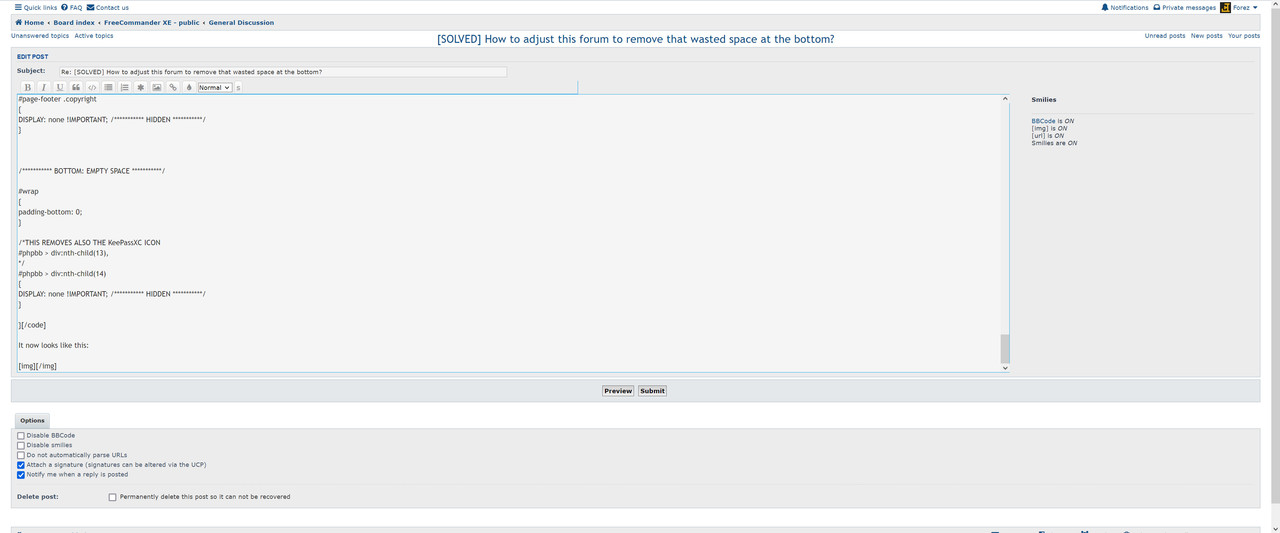
It now looks like this: