[solved]where to set background colors toolbar?
Posted: 10.10.2024, 15:50
Thank you very much for this great file-manager!!!!
I'm trying to re-create my perfect setup from cubicexplorer into freecommander.
Where can I set the colors for A, B and C?
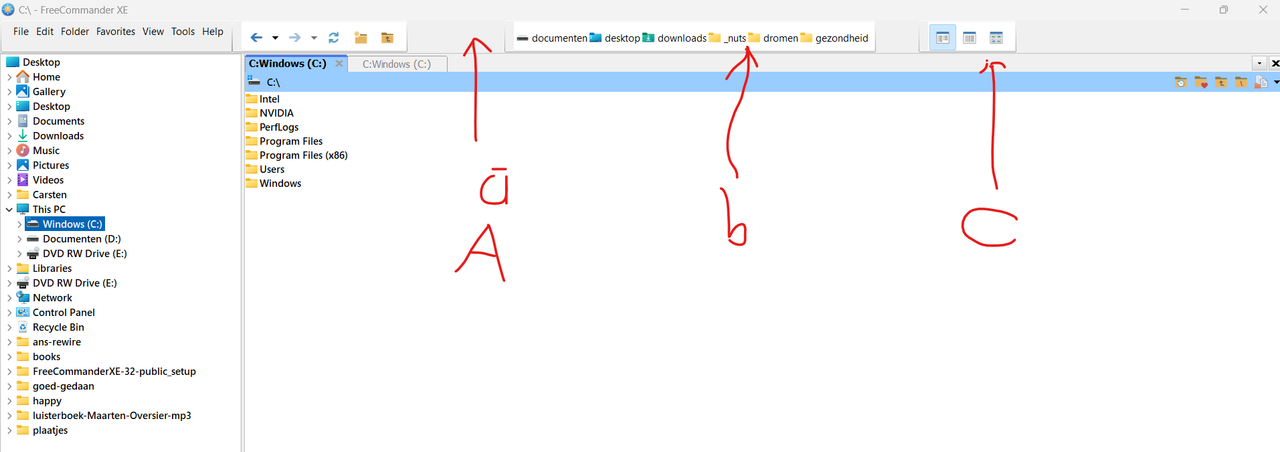
FreeCommander XE 2024 Build 901 32-bit public
on windows 11
style windows xp.
I have read the color schemes guide, but can not find the /colors/ directory in the programs86/freecommander/
I downloaded a theme file.colors and a screenshot from the theme and tried to find in a graphic program with the color picker which variable-name fits to the color, but the colors are in a different color-code, so that failed.
Just for fun: This was my ioncube setup. Its deprecated. I tried a lot of filemanagers before I found freecommander.
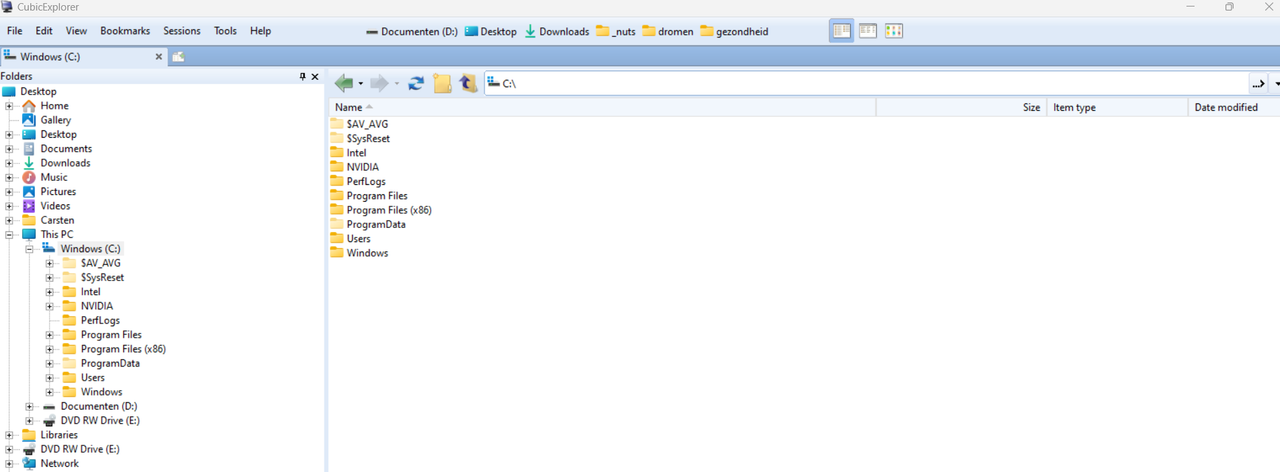
I'm trying to re-create my perfect setup from cubicexplorer into freecommander.
Where can I set the colors for A, B and C?
FreeCommander XE 2024 Build 901 32-bit public
on windows 11
style windows xp.
I have read the color schemes guide, but can not find the /colors/ directory in the programs86/freecommander/
I downloaded a theme file.colors and a screenshot from the theme and tried to find in a graphic program with the color picker which variable-name fits to the color, but the colors are in a different color-code, so that failed.
Just for fun: This was my ioncube setup. Its deprecated. I tried a lot of filemanagers before I found freecommander.