954 - Minor - Recycle bin focus issue after deleting (Updated)
Posted: 29.08.2026, 14:22
To reproduce:
- use window mode
- add column "Date Deleted" for recycle bin
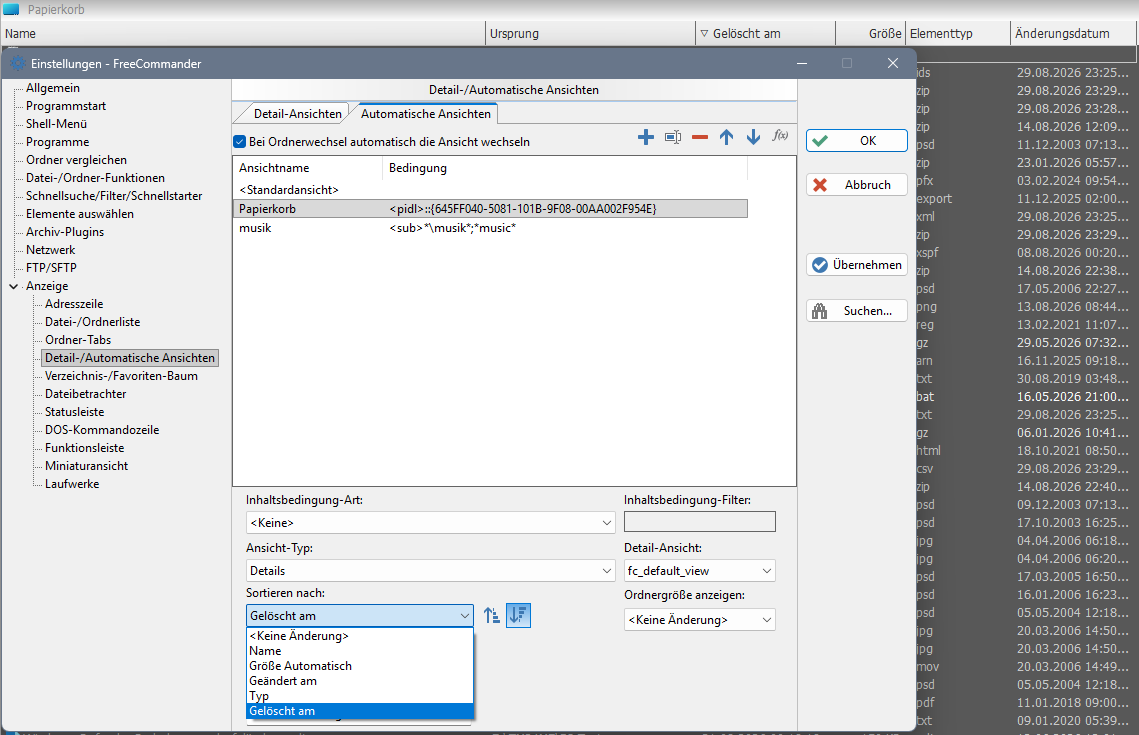
- in Automatic Views use Sort on "Date Deleted" for Recycle bin
- you should have multiple files in the recycle bin, 200+, deleted in different times
- delete any file
- switch to Recycle bin tab
- focus/select last deleted file
- [..] item should be visible
- last deleted file should be on top, first in the list (below the [..] item
- restore this file
= result - focus is not changed to the file below, but to file at the bottom of the list
Repeat these steps, if needed, sometime the right file is focused, especially when using Ctrl+R before restoring.
EDIT: Another issue:
To reproduce:
- use default settings
- use NC mode
- use window mode
- add column "Date Deleted" for recycle bin
- you should have multiple files in the recycle bin, 200+, deleted in different times
- delete any file
- switch to Recycle bin tab
- focus/select last deleted file
- [..] item should be visible
- click the column "Date Deleted", so that the last deleted file is on top
- last deleted file should be on top, first in the list (below the [..] item and focused/selected
- press Ctrl+R to refresh list, multiple times
= result - random file is focused/selected every time
FC 954, Windows 10.
- use window mode
- add column "Date Deleted" for recycle bin
- in Automatic Views use Sort on "Date Deleted" for Recycle bin
- you should have multiple files in the recycle bin, 200+, deleted in different times
- delete any file
- switch to Recycle bin tab
- focus/select last deleted file
- [..] item should be visible
- last deleted file should be on top, first in the list (below the [..] item
- restore this file
= result - focus is not changed to the file below, but to file at the bottom of the list
Repeat these steps, if needed, sometime the right file is focused, especially when using Ctrl+R before restoring.
EDIT: Another issue:
To reproduce:
- use default settings
- use NC mode
- use window mode
- add column "Date Deleted" for recycle bin
- you should have multiple files in the recycle bin, 200+, deleted in different times
- delete any file
- switch to Recycle bin tab
- focus/select last deleted file
- [..] item should be visible
- click the column "Date Deleted", so that the last deleted file is on top
- last deleted file should be on top, first in the list (below the [..] item and focused/selected
- press Ctrl+R to refresh list, multiple times
= result - random file is focused/selected every time
FC 954, Windows 10.